When agents write the code, what is left for developers to do? We don't know for sure, but most would agree that there's no going back. Times, indeed, they are a-change-in.
And for a smaller group of us building developer tools - there's another question: what does it mean for developer experience (DX)?
We take care to craft API surfaces, documentation and learning material to guide developers to the right syntax, and help them discover the right tools.
Does any of it still matter when an agent is the one reading it? It's easy to imagine that none of it would make a difference to our omniscient future overlords.
But here are two things that I think. One, we shouldn't forget that (at least for now) there is a human at the end of the agent, pulling the strings. So we should look to optimise their experience. And two, the principles behind good DX still apply, even when agents encounter problems that human readers never see.
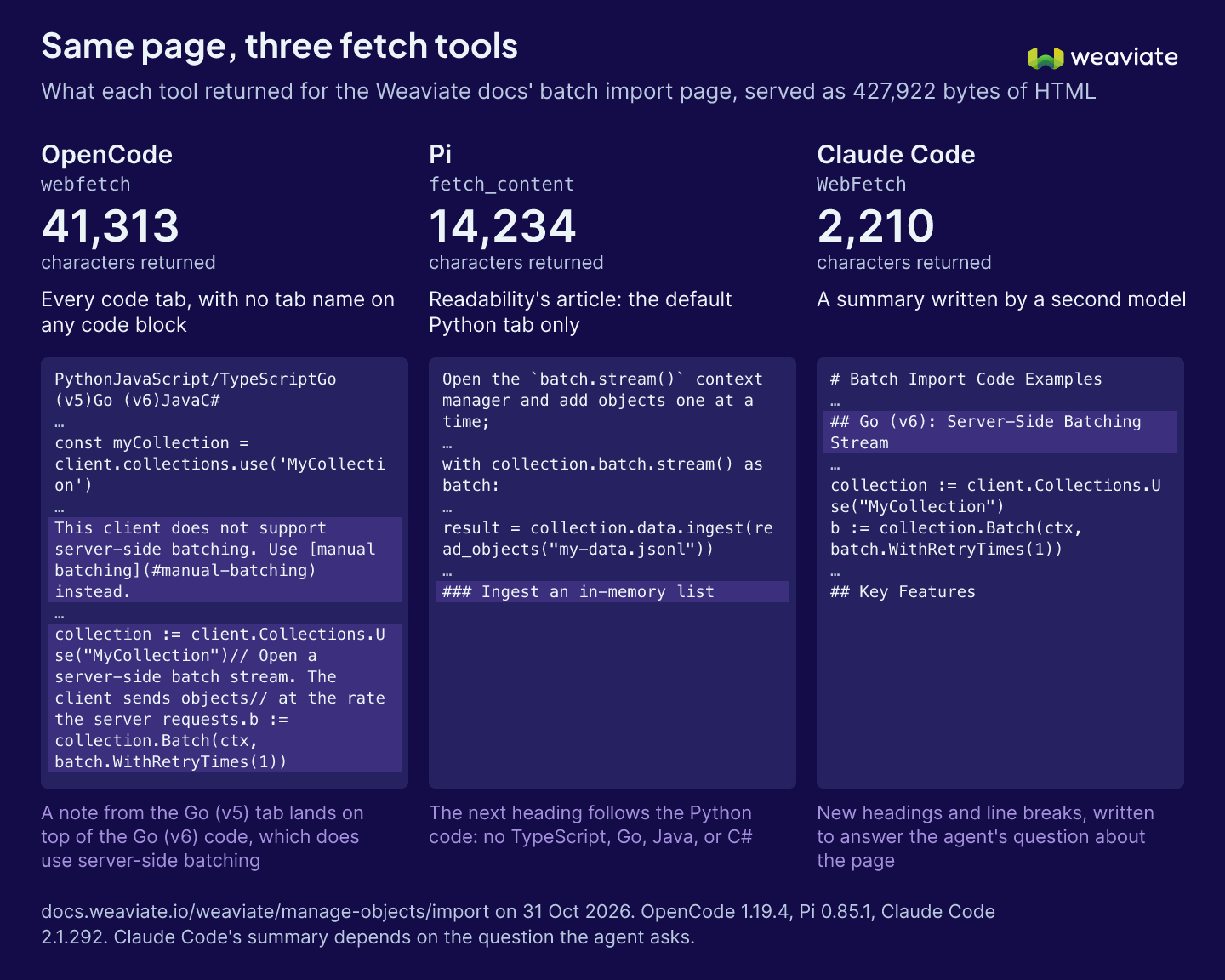
Let me tell you about a recent effort to improve our documentation. I found that in some cases, agents were drawing incorrect conclusions from our documentation. When we dug in, we traced the root cause to the fact that some agents were not receiving complete documentation pages! Pages were truncated, code examples were missing for some languages, and sections were missing.
And that missing context, we found, would send an agent searching elsewhere or lead it to draw incorrect conclusions or write wrong code. These issues had gone unnoticed because they affected a class of readers that rarely tells us when something is wrong: coding agents. And as a kicker - some of those issues would only exist for agents!
The same page can look different to every agent
So how did we find out what agents were actually seeing?
When it comes to identifying DX issues, we might have turned to user interviews. For agents, we focused on observing their behaviour directly.
We set up several agents to run the same task in a repeatable way, and explored their logs and outputs. This let us see not only the final answers, but the paths they took to get there: what tools they used, what searches they ran, and what pages they read.
Sure, this identified documentation pages to update. But importantly, it showed us that agents should be treated as a different class of reader.
For one, agents do not read web pages in the same way as people using a browser. Fetch tools in different coding environments can return different parts of a page, and often do not tell the site when content is missing.
But here's the important part: even if an agent notices missing information, it is unlikely to report the problem to us as the documentation maintainers. It may simply search elsewhere or work around it.
Once we could reproduce those failures, we could test potential fixes: change the documentation, run the same tasks again, and check whether agents received the context they needed.
For example, before our changes, one fetch tool returned the correct language examples in only 7 of 15 TypeScript runs and 3 of 15 Go runs. After the changes, it returned the right snippets in every run we checked.
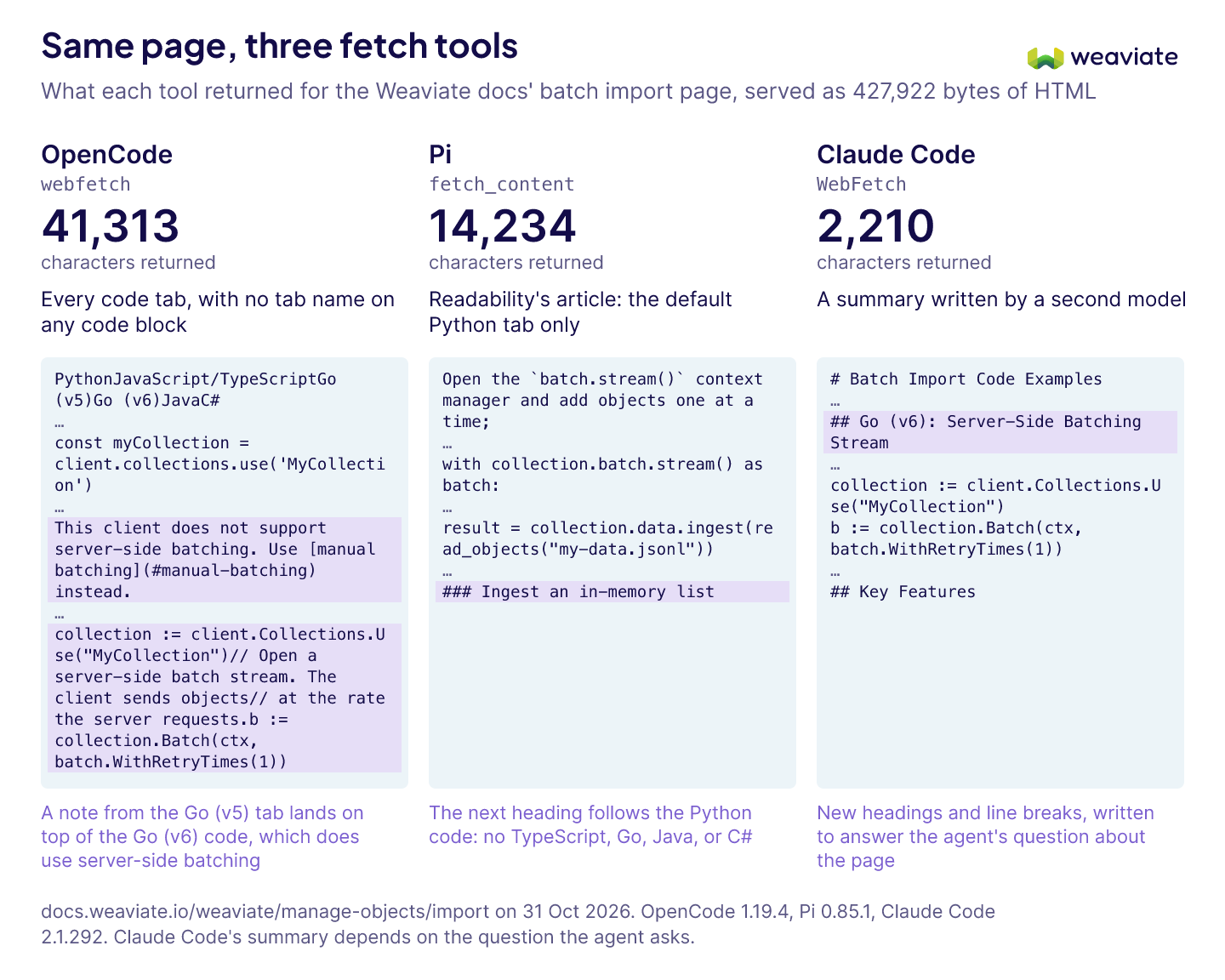
We also found an outdated sentence on a concepts page that led agents to use an older client library, even though that page was not where the code examples lived. After we corrected it, every answer we checked used the current client.
When useful content is missing, agents may try to work around it by finding raw source files or downloading a page and writing a parser. In one example, an agent took 23 turns to reach a solution when the needed code was hidden; with the Markdown version of the page, it took 6. We also shipped Markdown versions of our documentation pages, reducing token use on page loads by around 20%.
These tests helped us catch regressions, too. A change that fixed hidden code tabs caused one fetch tool to return a section of the Quickstart while dropping the rest. Re-running the tests exposed the problem, and a small layout change fixed it.
DX and agent experience work together
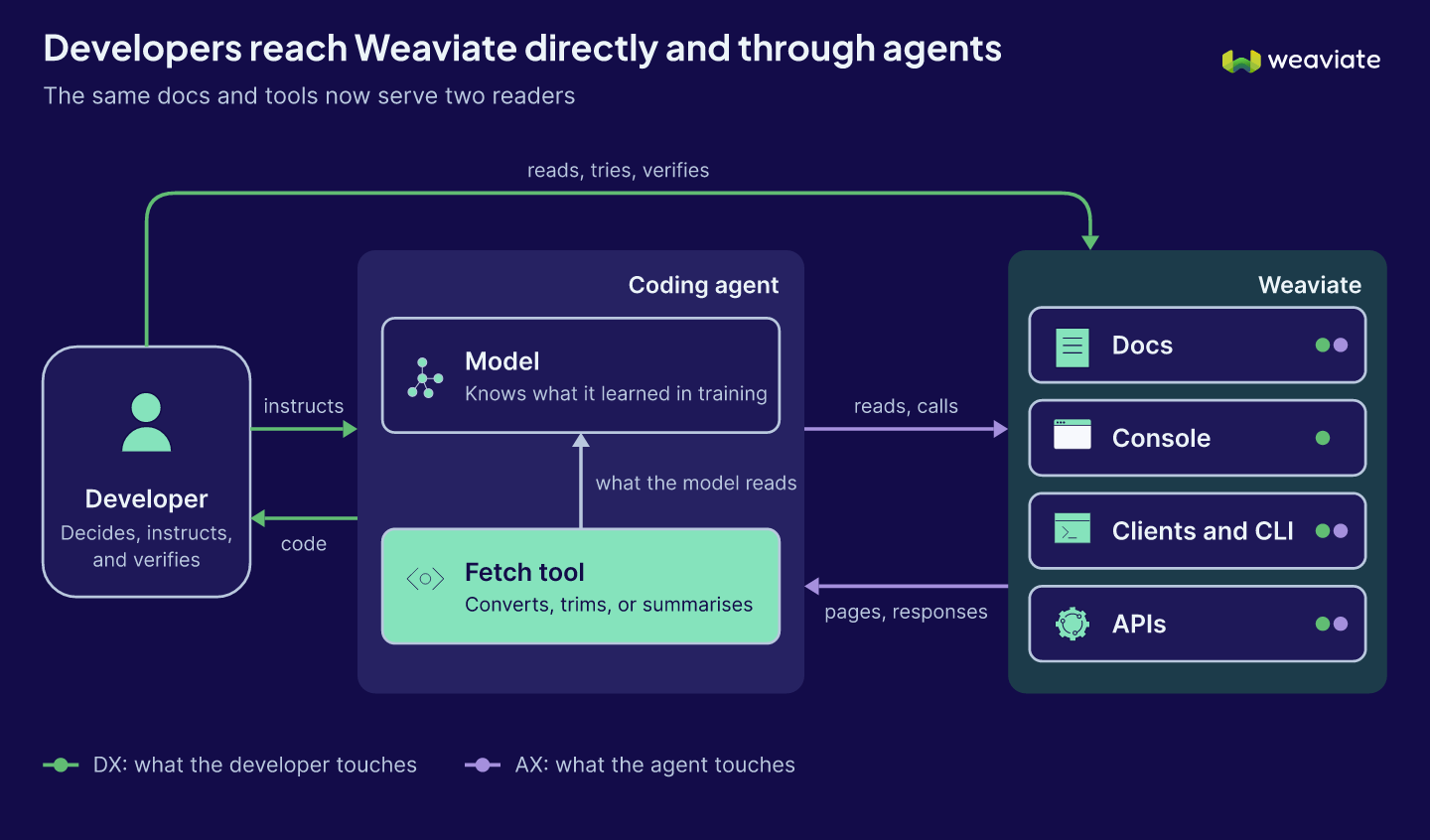
These are examples of agent experience (AX): making sure agents can use our docs, tools, and APIs effectively. As more work is delegated to agents, their experience matters alongside the experience of developers using those same resources directly.
The goal of DX has never been simply to make writing code faster. It is to reduce friction between a developer and the value they are trying to create. Code is one part of that. Developers still need to understand the problem, give agents good instructions, set up the right environment, and verify the result.
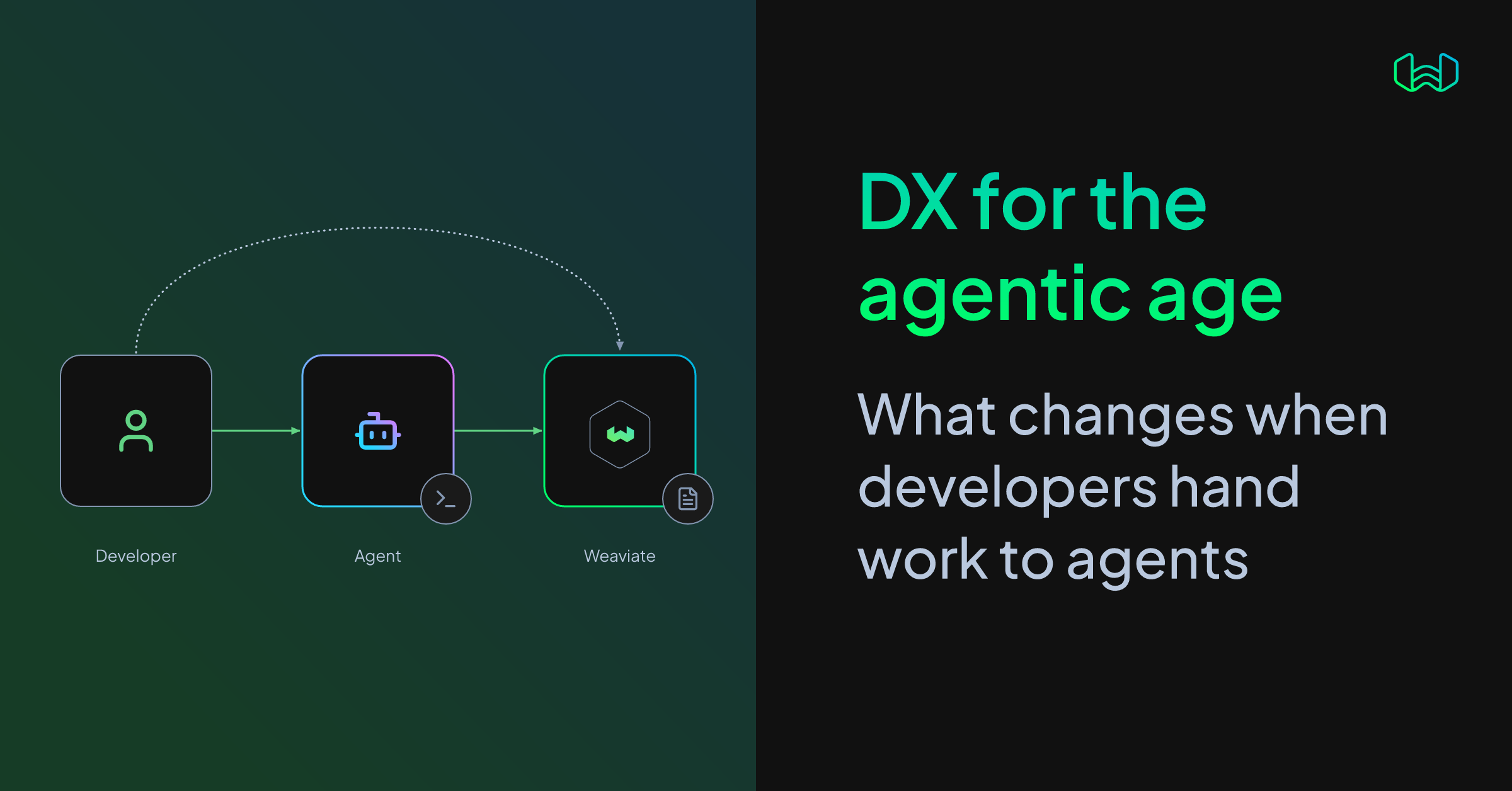
That means a good experience needs to serve both the developer and the agent working between the developer and the product:
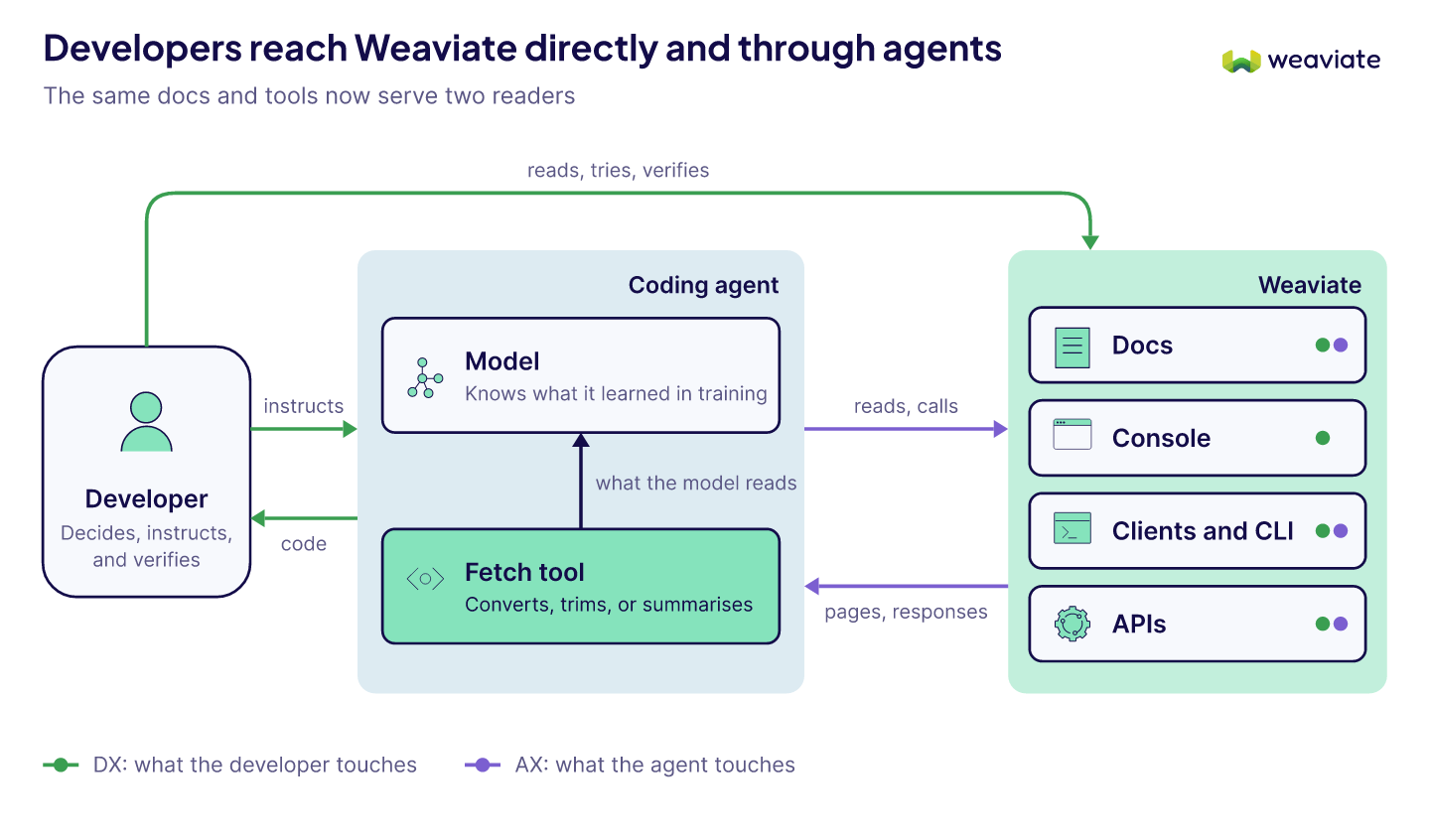
For developers, that means helping them make sound architectural decisions, communicate their intent to agents, and verify outcomes. For agents, it means making information complete and discoverable, providing agent-appropriate tools, reducing ambiguity, and making correctness observable.
Those goals align with Don Norman's ideas of the "gulf of execution" and "gulf of evaluation": people need to understand how to act and whether their actions worked. Agents change the interfaces and mechanisms involved, but those underlying needs remain.
Turning the principles into practice
We are applying these ideas to the tools and workflows developers use with Weaviate. For example, when asked to update a Go service that uses the v5 client after GraphQL is disabled, some agents tried to call the server's gRPC API directly instead of looking for the newer Go v6 client. We are exploring ways to guide them toward the supported client with as little extra effort from the developer as possible.
We are also measuring how well agents can build Weaviate applications from scratch and adapt them to a developer's needs. That includes using current capabilities such as the HFresh index, Rotational Quantization, and PathSeer filtering, as well as applying the best practices we have learned.
Other work includes exploring what an agent-oriented Quickstart could look like, and how agents could help with cluster maintenance and troubleshooting.
The principle stays the same
The core practice is familiar: find where people get stuck, improve the experience, and verify that the improvement worked. What has changed is the set of users and tools we need to measure. Developers now work through coding agents as well as IDEs and browsers, and agents rarely tell us when they could not find or understand something.
That makes measurement more important, not less. By testing how agents use our docs and tools before and after changes, we can reduce friction for both the developer and the agent—and help developers get more value from their work.
Ready to start building?
Check out the Quickstart tutorial, or sign up for a free Weaviate Cloud account.